 Capo
Capoप्राइवेसी और सहायता
Capo क्या देख सकता है, यह क्या और कहाँ संग्रहीत करता है, और किसी इंसान तक कैसे पहुंचें।
प्राइवेसी और अनुमतियां
क्या Capo मेरा डेटा एकत्र करता है?
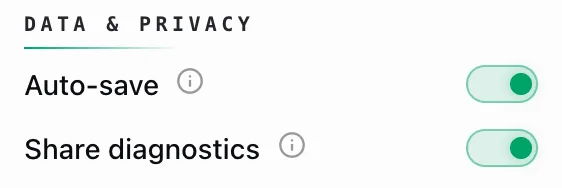
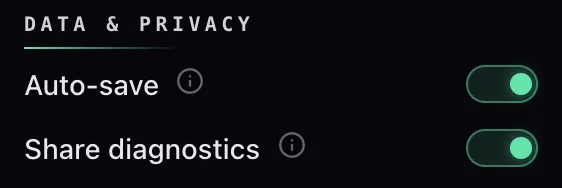
हाँ — अनाम डायग्नोस्टिक्स, डिफ़ॉल्ट रूप से चालू, और आप उन्हें बंद कर सकते हैं।
हर डायग्नोस्टिक इवेंट में होता है:
- आपके डिवाइस पर बनी एक रैंडम ID
- एक्सटेंशन वर्ज़न
- आपका ब्राउज़र और लोकेल
- आपने कौन-सा नियंत्रण छुआ
- सादा डोमेन साइट का — youtube.com, कभी पूरा URL नहीं
इवेंट्स चुपचाप इकट्ठे होते हैं और बैकग्राउंड में भेजे जाते हैं।
में एक स्विच सेटिंग्स इसे बंद कर देता है।
पूरी नीति capotune.com/privacy पर है।
क्या Capo मेरा ऑडियो या वीडियो अपलोड करता है?
नहीं — Capo आपका ऑडियो या वीडियो कभी अपलोड नहीं करता।
आवाज़ को पेज के अंदर ही एक Web Audio वर्कलेट से नया रूप दिया जाता है — ऑडियो आपकी मशीन को कभी नहीं छोड़ता, क्योंकि उसके जाने के लिए कहीं जगह नहीं है।
Capo जो कुछ भी भेजता है वह हैं डायग्नोस्टिक इवेंट्स (एक रैंडम ID, वर्ज़न, आपका ब्राउज़र और लोकेल, आपने कौन-सा कंट्रोल छुआ, और सिर्फ़ डोमेन) और इंस्टॉल करते समय एक बार की पिंग। Capo अकाउंट से साइन इन करें तो यह capotune.com से आपका प्लान भी जाँचता है। कोई ऑडियो नहीं। कभी नहीं।
क्या Capo को अकाउंट की ज़रूरत है?
नहीं — मुफ़्त सुविधाओं के लिए किसी खाते की ज़रूरत ही नहीं है।
Pro ही खाता रखने का एकमात्र कारण है। Pro वर्कस्पेस अनलॉक करने के लिए आप साइन इन करते हैं और Pro के लिए भुगतान करते हैं — साइन इन करना बस वह तरीका है जिससे Capo उन अतिरिक्त नियंत्रणों को आपके खाते से जोड़ता है। मुफ़्त संस्करण में आपसे कभी भी साइन अप करने के लिए नहीं कहा जाता।
Capo को वेबसाइट्स तक पहुंच की ज़रूरत क्यों है?
क्योंकि इसे पहले से पता नहीं होता कि आप कहाँ कुछ चलाएंगे।
Capo सभी साइटों तक पहुंच मांगता है ताकि यह अपना ऑडियो इंजन उस पेज में डाल सके जिस पर आप हैं — YouTube, कोई लेक्चर प्लेयर, कोई छोटी पॉडकास्ट साइट।
यही वजह है कि यह केवल वहीं जागता है जहाँ मीडिया हो — जिस पेज पर कुछ नहीं चल रहा, वहां जुड़ने के लिए कुछ भी नहीं होता।
यह आपकी History को लेबल करने के लिए ट्रैक का टाइटल और आर्टिस्ट भी पढ़ता है, और यह आपके डिवाइस पर ही रहता है।
क्या Capo मेरी सुनने की History स्टोर करता है?
हाँ — लेकिन केवल आपके डिवाइस पर, और केवल आपके लिए।
- आपने क्या चलाया: टाइटल, आर्टिस्ट, आर्टवर्क, लिंक
- आपने जो पिच, स्पीड, और वॉल्यूम सेट किए — ताकि किसी ट्रैक पर वापस आने पर आपकी सेटिंग्स वापस आ जाएं
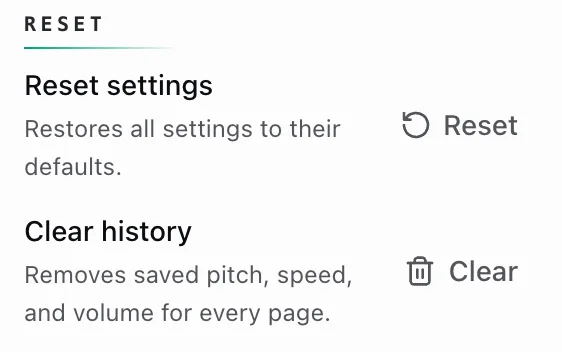
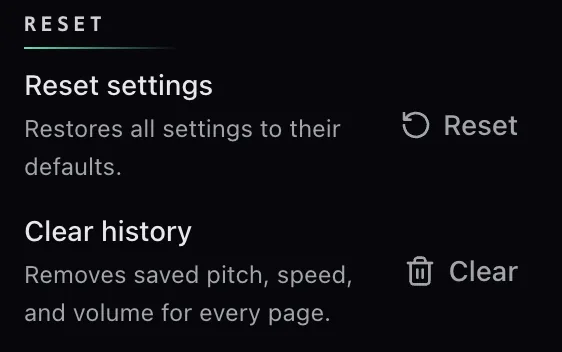
सूची की एक सीमा है, सबसे पुरानी एंट्रीज़ हट जाती हैं, और यह आपके ब्राउज़र को कभी नहीं छोड़ती। सेटिंग्स → रीसेट → History साफ़ करें इसे मिटा देता है।
आपकी प्राथमिकताएं — भाषा, रेंज, स्किप इंटरवल — Chrome के सिंक स्टोरेज में जाती हैं, इसलिए वे उसी Chrome प्रोफ़ाइल के अन्य डिवाइसों तक पहुंचती हैं।
इनमें से कोई भी कभी Capo के सर्वरों तक नहीं पहुंचता।
सहायता और फीडबैक
मैं Capo सहायता से कैसे संपर्क करूं?
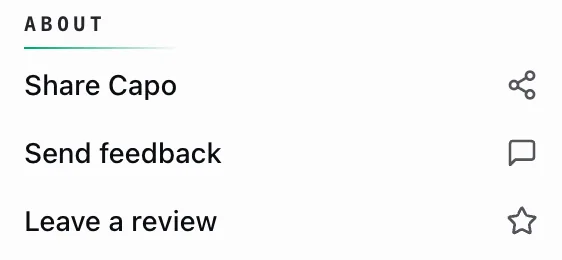
दो तरीके: एक्सटेंशन के अंदर का फीडबैक फॉर्म, या ईमेल।
- सेटिंग्स → फीडबैक भेजें — किसी अकाउंट की ज़रूरत नहीं, और आप अपना ईमेल पूरी तरह छोड़ सकते हैं।
- support@elyralabs.org — उन्हीं लोगों तक पहुंचता है, और प्राइवेसी या डेटा अनुरोधों के लिए यही पता इस्तेमाल करना चाहिए।
सेटिंग्स → सहायता FAQ खोलता है।
- चुनें आइडिया अगर साइट ने कभी काम नहीं किया, बग अगर पहले करती थी।
- साइट का यह डालें डोमेन — जैसे youtube.com, पूरा URL नहीं — "Site this happened on" फील्ड में।
- बताएं कि आप कौन-सी भाषा इस्तेमाल कर रहे हैं और वह वाक्यांश उद्धृत करें जो गलत लगा।
आपका Capo वर्ज़न और ब्राउज़र अपने आप जुड़ जाते हैं। और जब Capo आपको बताता है कि कोई पेज काम नहीं करेगा, तो वहां एक बग रिपोर्ट करें लिंक उसी स्क्रीन पर होता है।
अनाम डायग्नोस्टिक्स चालू छोड़ना यहां भी मदद करता है: डोमेन-स्तर की साइट डायग्नोस्टिक्स से ही हमें पता चलता है कि Capo कहां चुपचाप विफल हो रहा है।
मुझे बग रिपोर्ट में क्या शामिल करना चाहिए?
फॉर्म बहुत कम मांगता है, इसलिए आपका संदेश ही काम करता है।
- यह डोमेन — इसके लिए एक फील्ड है
- आपने क्या आज़माया, और आपने क्या देखा या सुना
- उस समय आपकी सेटिंग्स: पिच, स्पीड, वॉल्यूम, ऑडियो क्वालिटी
- एक ईमेल, अगर आप जवाब चाहते हैं — यह वैकल्पिक है
खोलें सेटिंग्स — वर्ज़न नीचे-दाएं कोने में है।
आपको यह यहां भी मिलेगा chrome://extensions.
वर्ज़न और ब्राउज़र अपने आप जुड़ जाते हैं।
मैं समीक्षा कहाँ छोड़ सकता हूँ?
सेटिंग्स → परिचय → समीक्षा छोड़ें आपके स्टोर की लिस्टिंग खोलता है।
यह खुद ही सही स्टोर पता लगा लेता है — Chrome Web Store, Edge Add-ons, या Firefox का AMO, इस पर निर्भर करते हुए कि आपने कहां से इंस्टॉल किया।
समीक्षाएं वाकई मदद करती हैं। लेकिन अगर कुछ टूटा है, तो फीडबैक फॉर्म इसे तेज़ी से ठीक करवाता है।