 Capo
CapoWhy Capo ships three time-stretch engines instead of one
No time-stretch algorithm is best at everything. Lighter algorithms add less latency and smear sooner at low speeds; heavier ones hold together at a quarter speed and cost CPU. Capo exposes the choice as a setting instead of picking one compromise for every user.
- Low: SoundTouch. Lightest, lowest latency.
- Medium: Signalsmith. The default.
- High: Rubber Band. Required for the vocal reducer.
Time-stretching cuts audio into short grains and re-schedules them, so speed changes while pitch stays fixed. The mechanism is explained here, with a demo.
How cleanly that works depends on where the algorithm cuts and how it joins. Better decisions need more of the signal in hand, which costs latency and processing.
This article covers what each engine trades away, and which setting to use.
Key takeaways
- Leave the setting on Medium for general use.
- High is Pro. Low and Med are free; raise to High below about 0.5×, or for the vocal reducer.
- Changing the engine applies live, mid-playback — no reload needed.
- Above 0.8× speed the three engines are very hard to tell apart.
SoundTouch, Signalsmith and Rubber Band compared
| Setting | Engine | Strength | Cost |
|---|---|---|---|
| Low | SoundTouch | Very light, minimal added latency | Smears earliest below 0.5× |
| Medium | Signalsmith | Balanced quality and cost | The default |
| High | Rubber Band | Holds together at extreme ratios | Heaviest on CPU |
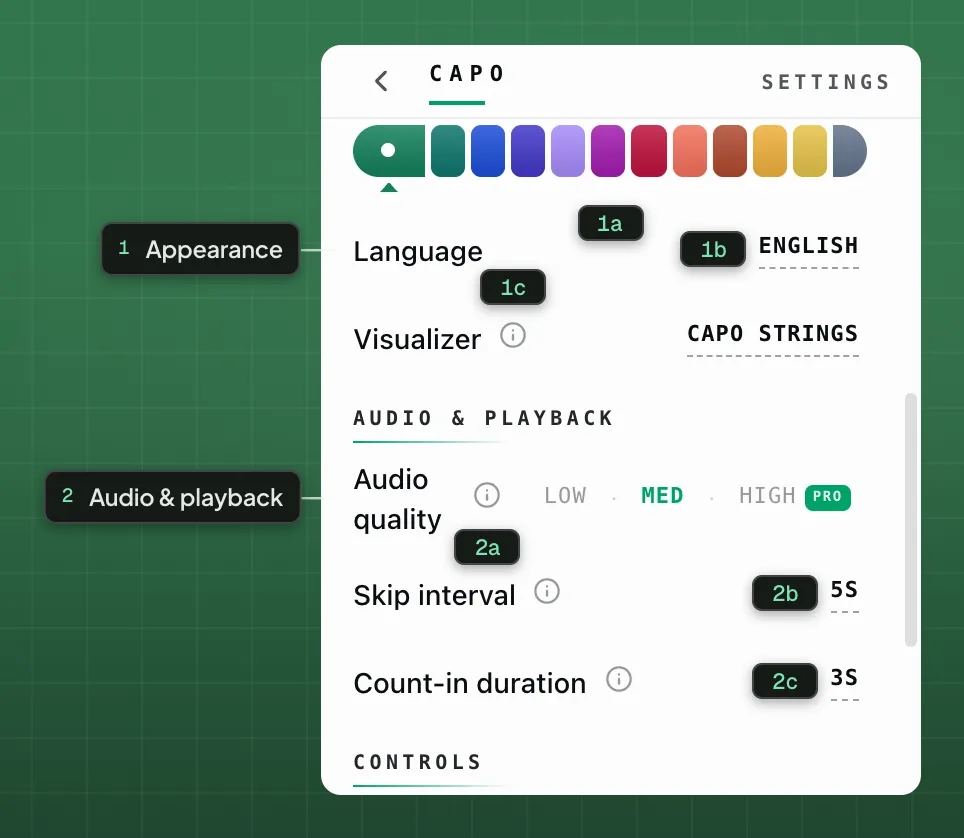
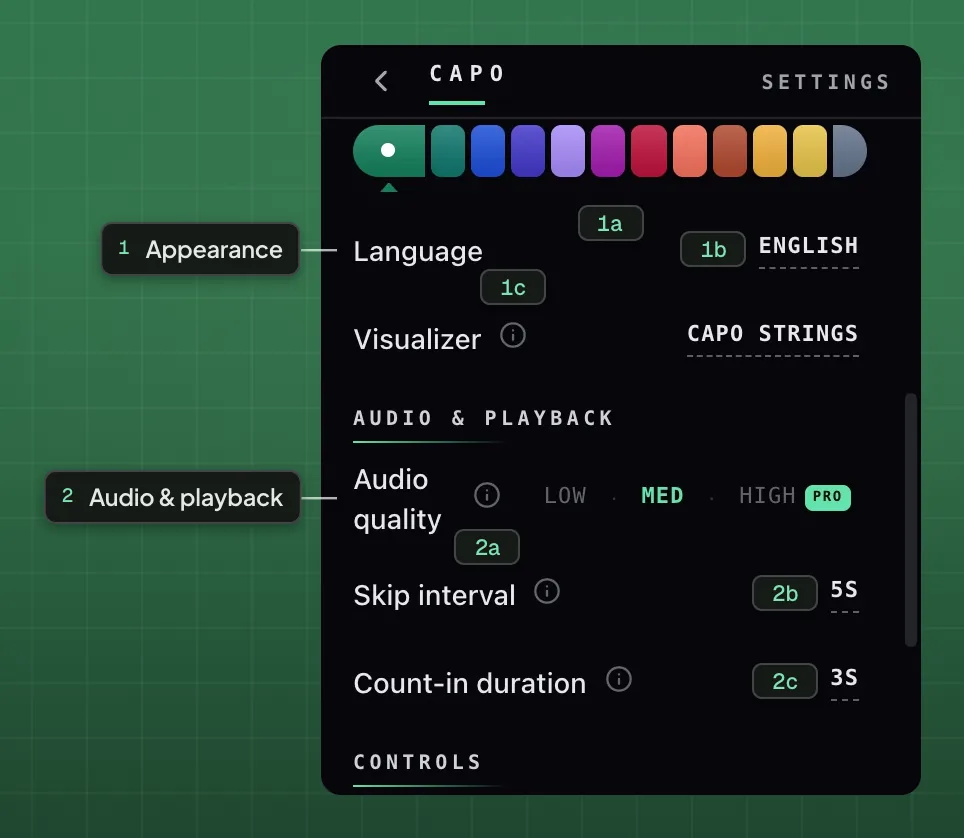
- 1Appearance
- 1aToolbar badge colour1bLanguage1cVisualizer
- 2Audio & playback
- 2aAudio quality2bSkip interval2cCount-in duration
Why the heaviest engine is not the default
Three reasons, in order of how often they matter.
Latency. A heavier engine holds more audio before emitting any. That is acceptable for listening and wrong for playing along.
CPU and battery. Capo runs in a tab beside everything else open on the machine. An inaudibly better engine that runs hotter is a poor default.
Diminishing returns. Above roughly 0.8× the engines are very hard to distinguish. At 0.95× the heaviest one buys nothing.
Why the lightest engine is not the default either
Formant correction is implemented only on Signalsmith and Rubber Band. On the lightest engine the control is disabled.
Shipping only the lightest engine would silently break transposing a vocal, which is one of the most common uses.
What happens when you change it
The change applies live. Capo tears down the old engine’s worklets and re-attaches the new one to every running audio stream, mid-playback — no reload, no lost position.
That makes the setting cheap to test: play the passage you care about, switch tiers, and listen. The difference — or its absence — is audible within a bar.
A note on the name
“Audio quality” is imprecise. At 0.95× speed, Low is not lower quality than High; the output is effectively identical.
The question the setting really asks is how far down you intend to go. Renaming it means 52 translations and a support page, so it remains open.
Which time-stretch engine should you use?
Medium suits almost all material and is free. High is part of Capo Pro; it earns its place below 0.5× and is required for the vocal reducer. Changing tier applies live, so comparing them costs nothing.
This article deliberately contains no benchmark. Which engine sounds best across a given passage depends on the material, and percussive content punishes different weaknesses than sustained content. Test on the track you are working on.
Fragen
Which audio quality setting should I use?
Do I have to reload the tab after changing it?
Why is Formant greyed out on Low?
Weiterlesen
Why slowed audio sounds underwater
Slowing a tape drops the pitch. Holding the pitch steady is a harder trick, and the artefacts it leaves have a cause.

Why the pitch dial stops at twelve
A short note on a default: one octave each way, four if you ask for it, and a ceiling set by where the audio stops being usable.

How to transpose a song to fit your vocal range
Move the song, not your voice. The hard part is not the transposition, it is keeping the singer sounding like a person.