 Capo
CapoHow to change the pitch of a YouTube video

Play the video, click Capo in the toolbar, and move the Pitch dial. Each step is one semitone and the speed does not move with it, so the video plays for exactly as long as before in a different key. Settings are remembered per track.
- Press play, then open Capo from the toolbar.
- Move Pitch. One step is one semitone.
- Use Fine if you land between two.
YouTube has a speed menu and no key control, which is fine until the lesson you are following is in a key your instrument does not like, or the singer is comfortably out of your range.
Move the dial
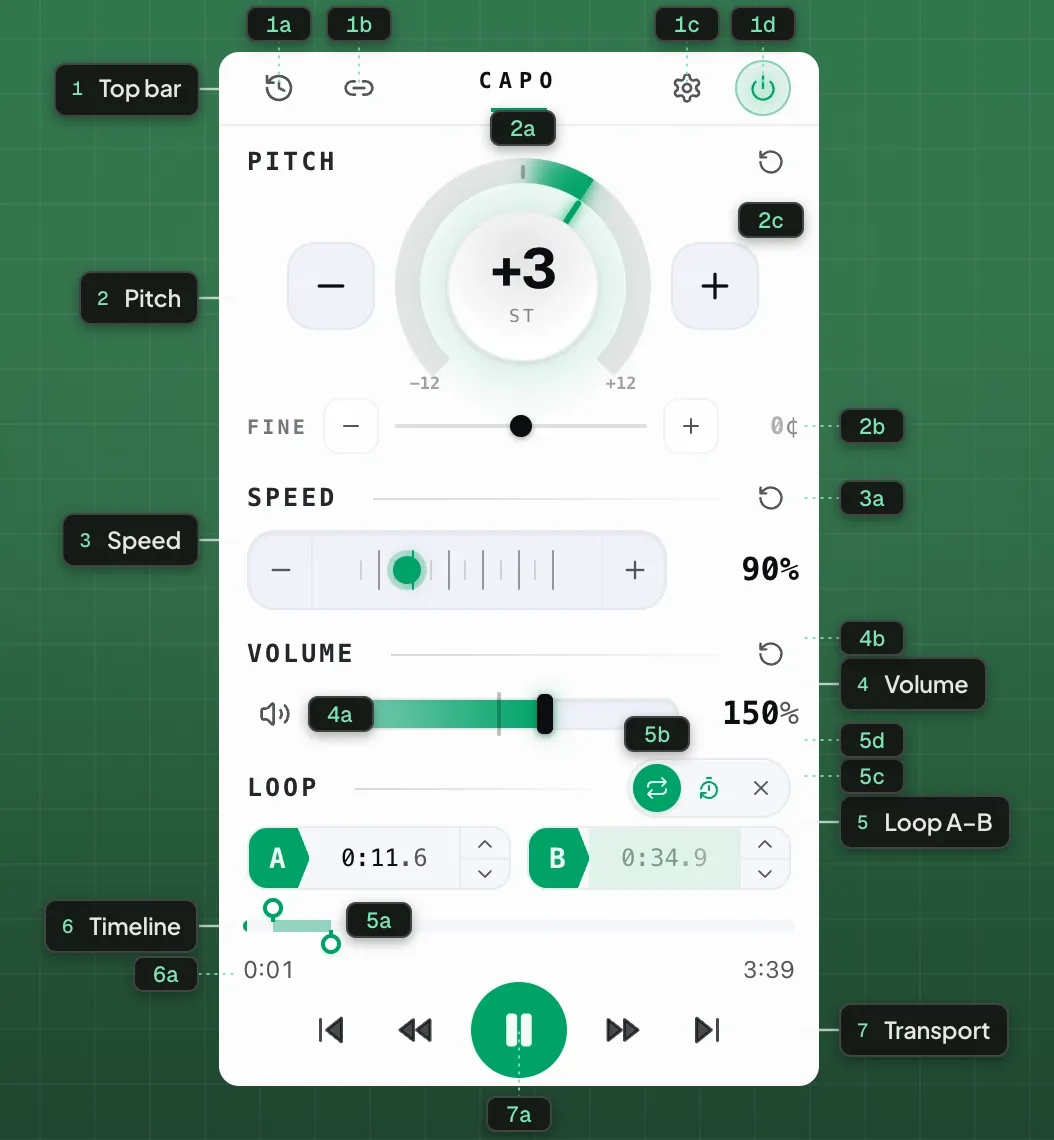
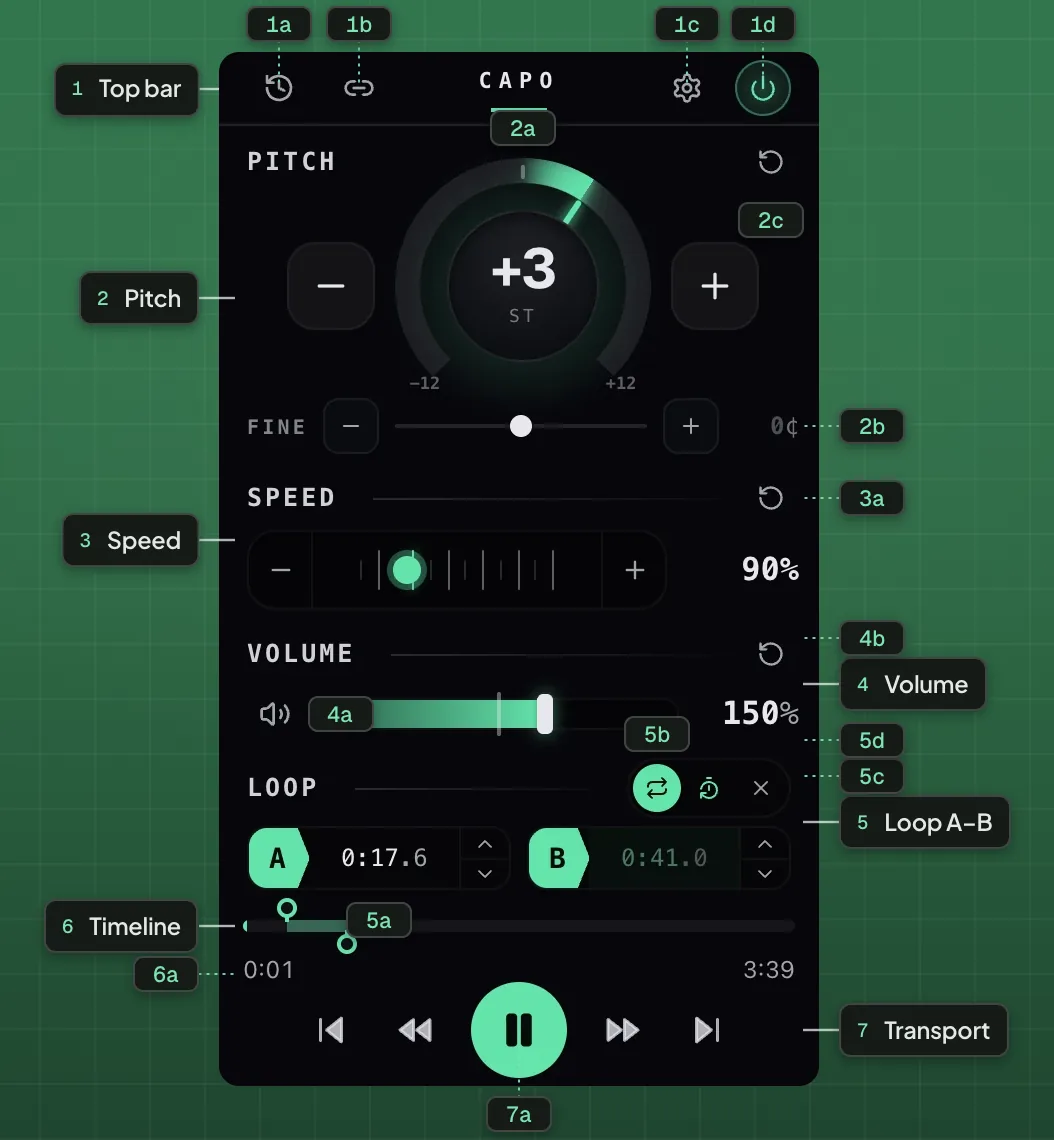
- 1Top bar
- 1aHistory1bShare1cSettings1dPower on / off
- 2Pitch
- 2aSemitone dial2bFine tune2cReset pitch
- 3Speed
- 3aReset speed
- 4Volume
- 4aMute4bReset volume
- 5Loop A–B
- 5aA / B points5bLoop on / off5cCount-in5dClear
- 6Timeline
- 6aA–B band
- 7Transport
- 7aPlay / Pause
- Try −1 before anything elseA great many rock records were tracked a half step down. If a lesson sounds subtly sour against your instrument, that is usually why.
- Move in whole semitones until a sustained note stops clashingShort notes hide the problem. Hold one against the recording and the wrong key is obvious.
- Use Fine only after the semitone is rightCents are for a recording that was never at concert pitch, not for hunting the key.
- Then leave itThe offset is saved against the track itself, so the same song reopens transposed next time.
Does the speed menu change the pitch?
Yes, and that is the difference. YouTube’s own 0.75× is varispeed: the whole track drops in pitch as it slows, like a tape. Capo keeps them apart, so you can change one without the other. The reason that is harder than it sounds is in why slowed audio sounds underwater.
Choosing how far to move it
For matching an instrument, move in single semitones until a sustained note stops clashing with yours — almost always ±1 or ±2. For fitting a song to your voice, set it from the highest sustained phrase rather than the first line, which is covered properly in singing a song that sits four semitones too high.
Put YouTube in your key.
Works inside the player you already use · freeWhere it stops
It will not download the video or save a transposed copy — the change happens as it plays and there is no file at the end. It will not work on chrome:// pages or the extensions gallery, because extensions cannot run there. And the dial stops at ±12 for precision, not because of a hard limit: artefacts grow gradually with distance, and Settings › Pitch range widens the dial to ±36 or ±48 when you need more.
Fragen
Can you change the pitch of a YouTube video?
Does YouTube’s speed control change the pitch?
Is it free?
Are my settings remembered?
Can I change pitch without opening the popup?
Weiterlesen
How to transpose a song to fit your vocal range
Move the song, not your voice. The hard part is not the transposition, it is keeping the singer sounding like a person.
Why the pitch dial stops at twelve
A short note on a default: one octave each way, four if you ask for it, and a ceiling set by where the audio stops being usable.
How to slow down a YouTube video without changing the pitch
Take any video down to a quarter speed to learn from it, while the pitch stays exactly where it was.