 Capo
CapoHow to change pitch and speed from the right-click menu
Right-clicking a page gives you Capo presets directly: nine pitch offsets and six speeds, plus a reset. It is the fastest route when you know which way you are heading, and it needs no popup and no keyboard shortcut.
- Right-click anywhere on the page.
- Choose a pitch preset or a speed.
- Reset returns everything to normal.
The menu exists for the case where you already know the answer: down two semitones, or half speed.
Key takeaways
- Nine pitch presets: −12, −7, −5, −2, 0, +2, +5, +7, +12.
- Six speeds: 0.5, 0.75, 1, 1.25, 1.5 and 2×.
- Volume and cents are deliberately not in the menu.
What pitch and speed presets the menu offers
| Group | Values |
|---|---|
| Pitch | −12, −7, −5, −2, 0, +2, +5, +7, +12 semitones |
| Speed | 0.5×, 0.75×, 1×, 1.25×, 1.5×, 2× |
| Reset | Returns pitch and speed to default |
The pitch values are the intervals that come up in practice: the octave, the fifth, the fourth and the whole step.
All of them sit inside the default ±12 range, so every preset stays valid whatever range you have configured.
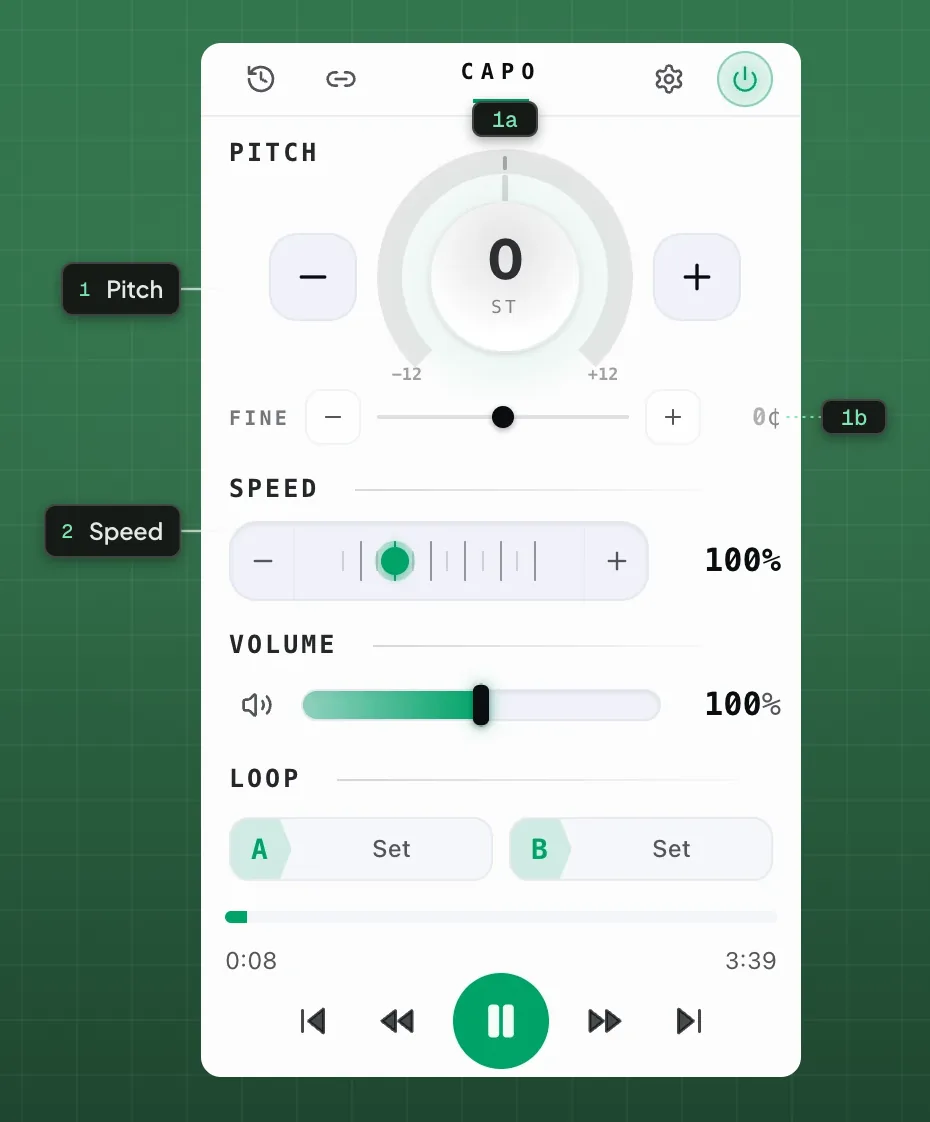
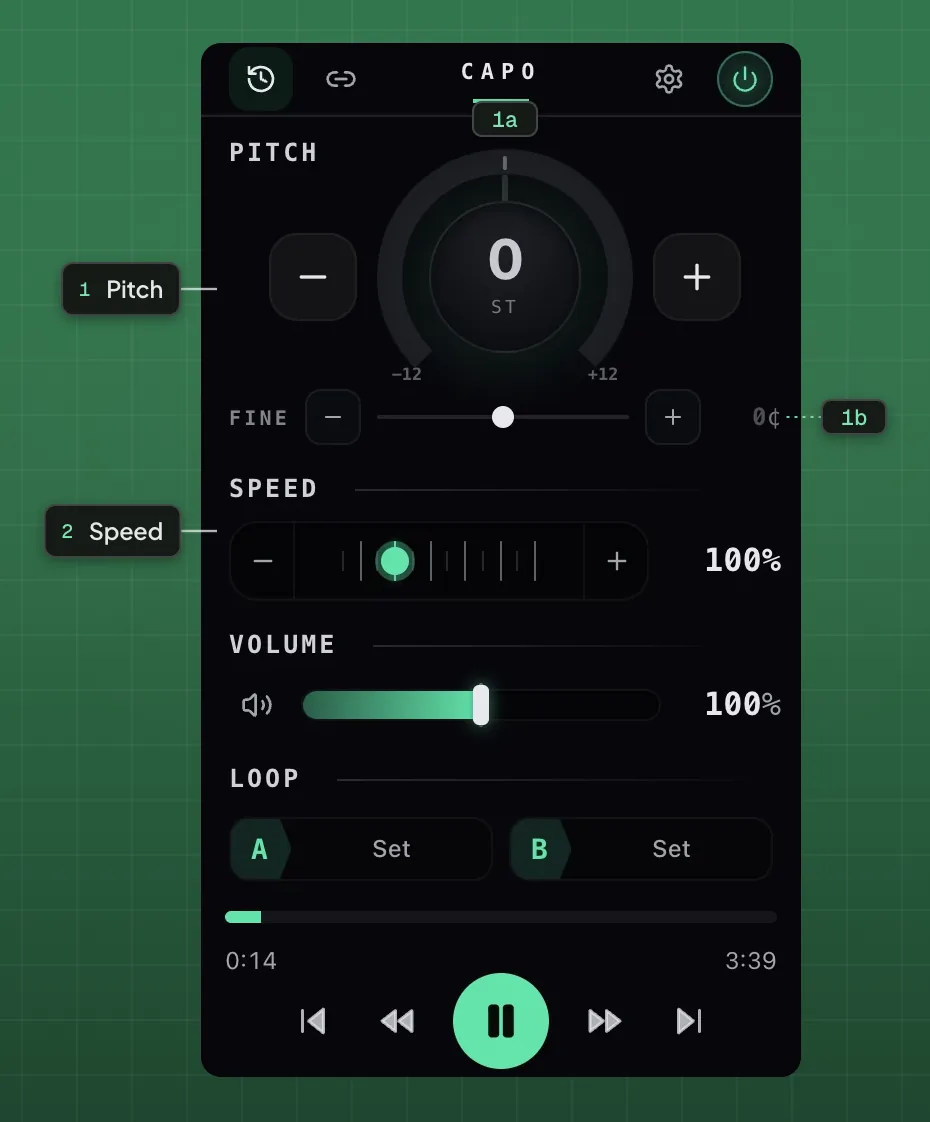
- 1Pitch
- 1aSemitone dial1bFine tune
- 2Speed
Why volume and cents are not in the menu
Cents are a tuning operation and need feedback while you adjust. A menu cannot give you that.
Volume is easy to set dangerously high in one click, and a menu offers no way to hear the result before committing.
When to use the menu, the popup or a shortcut
| Surface | Best for |
|---|---|
| Right-click menu | A known preset, fast |
| Keyboard shortcuts | Adjusting while playing |
| Popup | Anything needing a value you can see |
Which surface to reach for
The menu is language-neutral: the labels are numeric, so they read the same in all 52 interface languages.
If Capo is missing from your menu, the page is probably one extensions cannot reach.
Questions
What pitch presets does the menu offer?
Why are volume and cents not in the menu?
Why is Capo missing from my right-click menu?
Keep reading
Capo keyboard shortcuts: the full list and how to rebind
Three surfaces carry shortcuts: the page itself, the popup and the workspace. This maps all of them and covers rebinding.
How to change pitch, speed and volume in your browser
A tour of every free control in Capo: the pitch dial, fine tuning, speed, volume and the A-B loop, with what each one is for.
How to change the pitch of a YouTube video
Shift any video up or down in semitones without touching the speed, on the player you already use. Free, and nothing is uploaded.