 Capo
CapoHow to change the pitch or key of a song on Apple Music
Apple Music has no pitch or key control of its own, and its web player streams encrypted audio, which is why most audio extensions do nothing there. Capo processes the sound inside the same audio context that negotiated the encryption, so the pitch dial works on music.apple.com the same way it works on an ordinary video.
- Open music.apple.com in a tab and start a track.
- Open Capo and move the pitch dial in semitones.
- Speed and volume work on the same tab.
Apple Music gives you play, pause, and a volume slider. There is no key control, no speed control, and no way to slow a passage down to learn it. That is a reasonable choice for a listening product and an annoying one if you are trying to play along.
It has to be the web player
Capo is a browser extension, so it works on music.apple.com in a tab. The desktop Music app is a native application and nothing in the browser can reach it. Open the album in a browser instead and everything below applies.
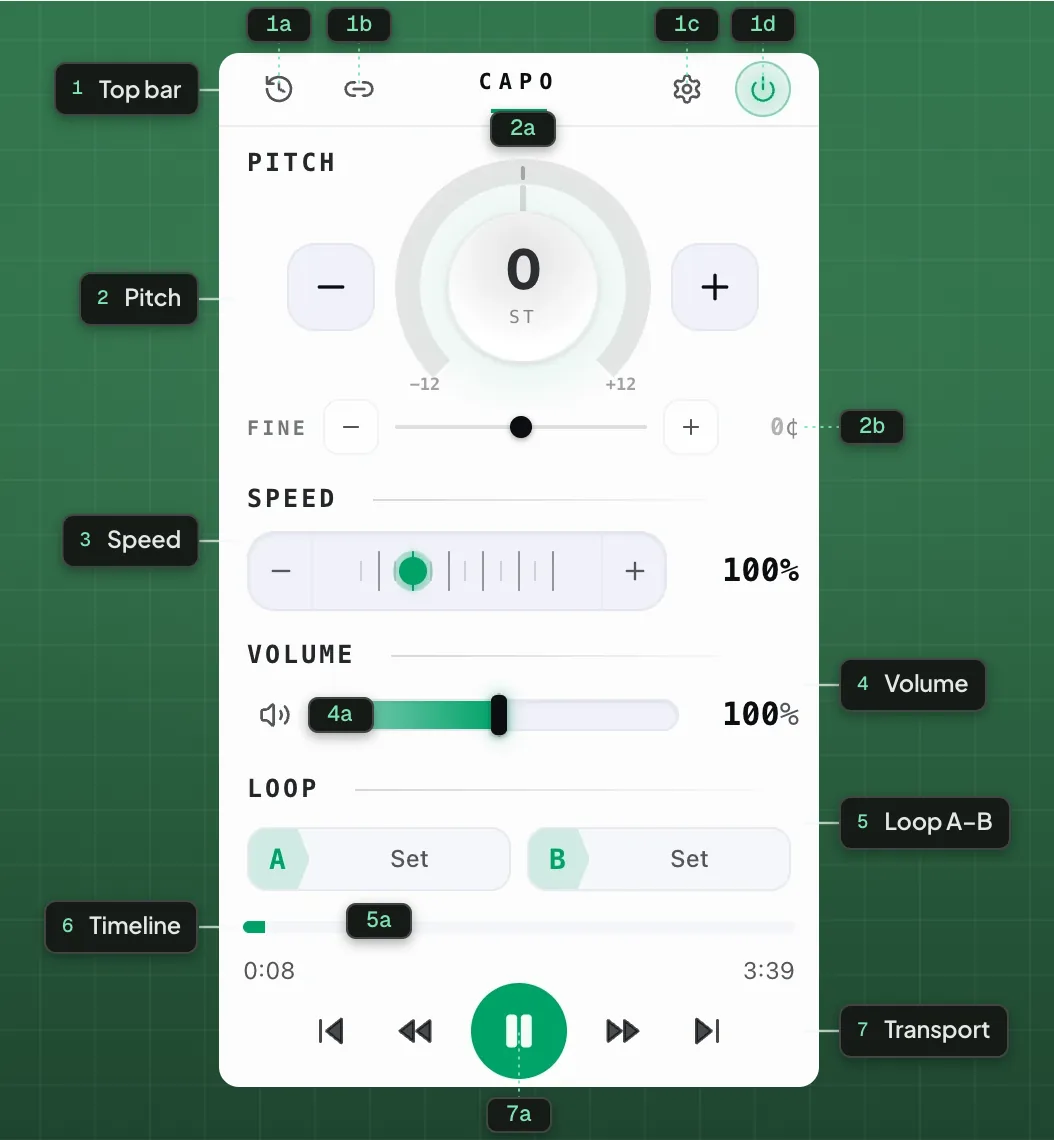
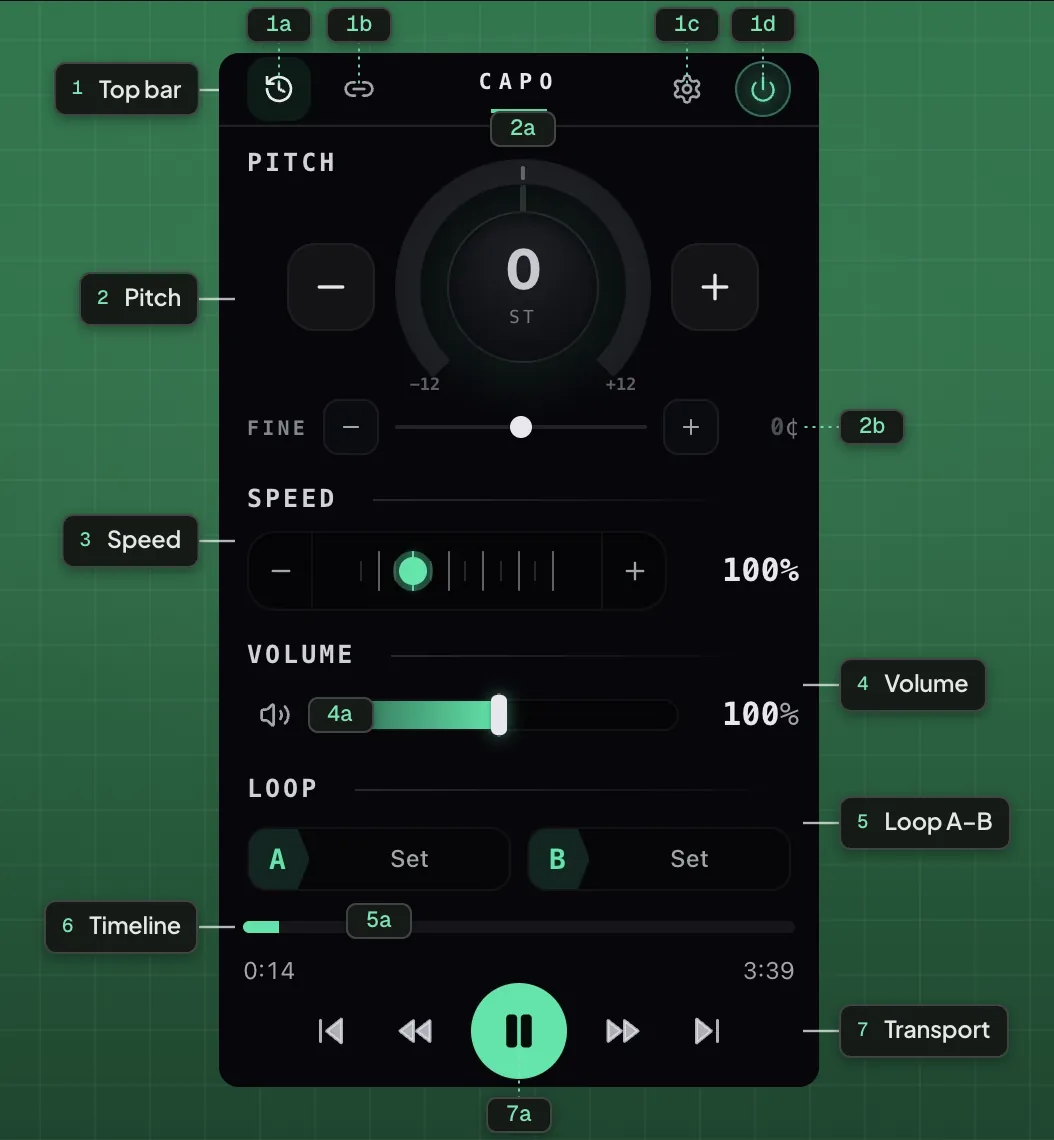
- 1Top bar
- 1aHistory1bShare1cSettings1dPower on / off
- 2Pitch
- 2aSemitone dial2bFine tune
- 3Speed
- 4Volume
- 4aMute
- 5Loop A–B
- 5aA / B points
- 6Timeline
- 7Transport
- 7aPlay / Pause
Why encrypted audio usually breaks extensions
Apple Music streams protected audio. The ordinary way an extension taps a page’s sound is to attach an analyser to the media element, and on protected media the browser refuses — it will not hand the decoded samples to arbitrary code. That is the correct behaviour, and it is why most pitch extensions quietly do nothing on Apple Music, Tidal or Spotify.
Capo does not pull the audio out. It replaces the page’s audio context with one that has the pitch-shifting worklet spliced in before the speakers, so the samples never leave the context that negotiated the encryption. Nothing is decrypted, copied, recorded or uploaded — the sound is processed on its way out and then it is gone.
What you would actually use it for
| Move | Why |
|---|---|
| Down 1–3 semitones | A vocal line that sits just above your range |
| Down 1 semitone | Matching a guitar tuned to E flat |
| Speed 0.6–0.8× | Catching a fast lyric or a run |
| A–B loop | Repeating one phrase while you find it |
Put a key control on Apple Music.
Free · nothing uploadedWhere it stops
Capo cannot change what Apple Music will play you, cannot work in the desktop app, and cannot save its result to a file. It also will not help if the tab is not actually playing — the controls stay inert until there is sound to work on.
Questions
Can you change the pitch on Apple Music?
Does it work even though Apple Music is encrypted?
Does this download or record my music?
Does it work in the Apple Music desktop app?
How far can I move the key?
Keep reading
How to change the pitch or key of a song on Spotify
The Web Player has no key control. Capo adds pitch, speed and looping to it, and to SoundCloud and Bandcamp.
Why most audio extensions do nothing on Spotify or Tidal
Protected streams refuse to hand their samples to page scripts. Here is why, and what has to be done differently.
Every site Capo works on, and the handful it cannot
Anything with HTML5 audio or video, plus per-site track detection on ten services. And the real limits.