 Capo
CapoEvery site Capo works on, and the handful it cannot
Capo works on any page that plays HTML5 audio or video, which is very nearly the whole web. Ten services additionally get per-site track detection, so your settings are remembered against the actual track rather than the page address. The exceptions are browser-internal pages and native desktop applications.
- Any site with HTML5 sound: pitch, speed, volume and looping.
- Ten services also get per-track settings.
- Browser pages and desktop apps are out of reach.
The short version is that Capo is not a YouTube extension with a few extras bolted on. It attaches to the audio of the page you are on, so the question is rarely whether a site works — it is whether the site plays sound in a browser.
Anything with HTML5 audio or video
Pitch, speed, volume and the A–B loop work wherever there is a media element: video sites, podcast players, course platforms, embedded players, radio streams, and pages nobody has ever heard of. There is no allowlist to be added to.
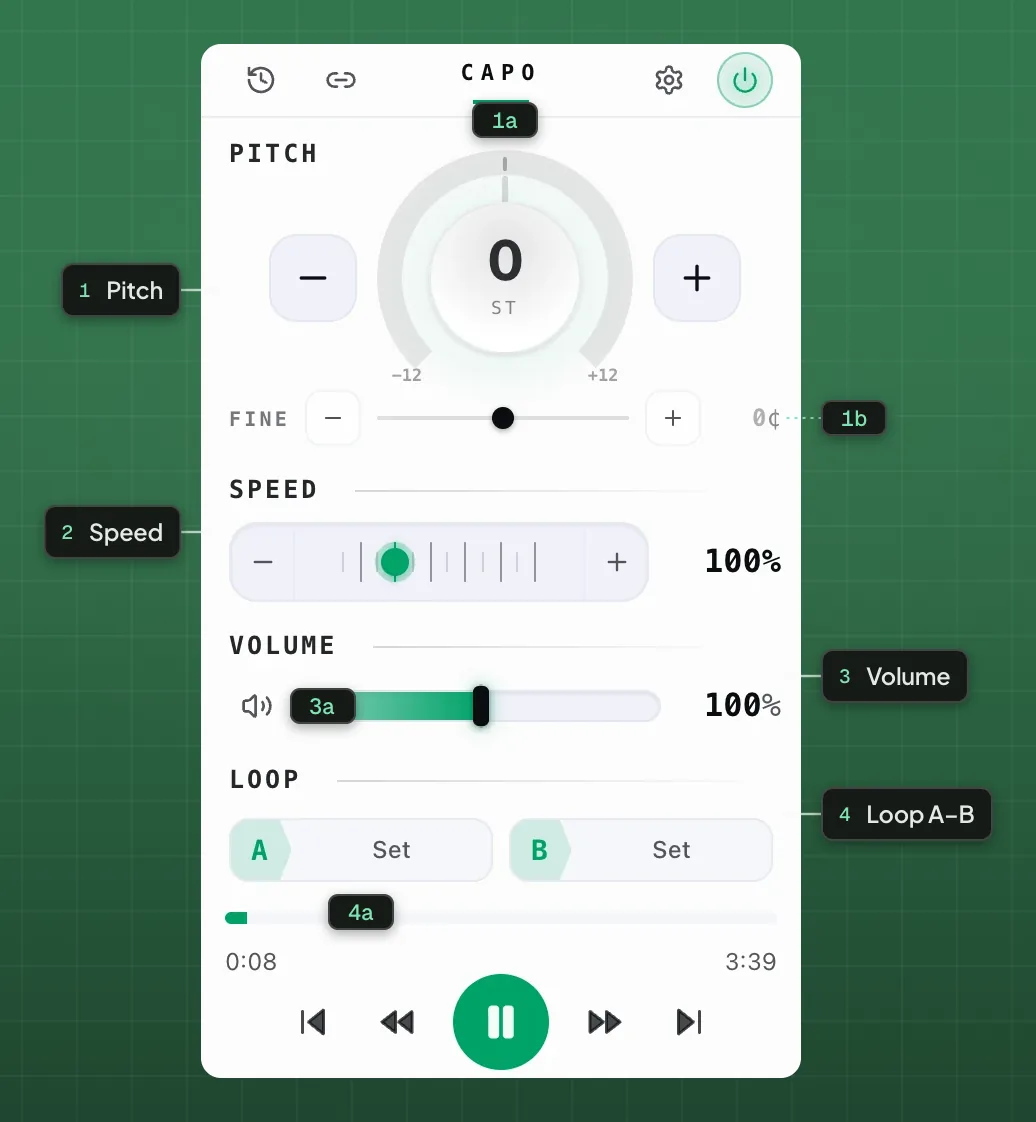
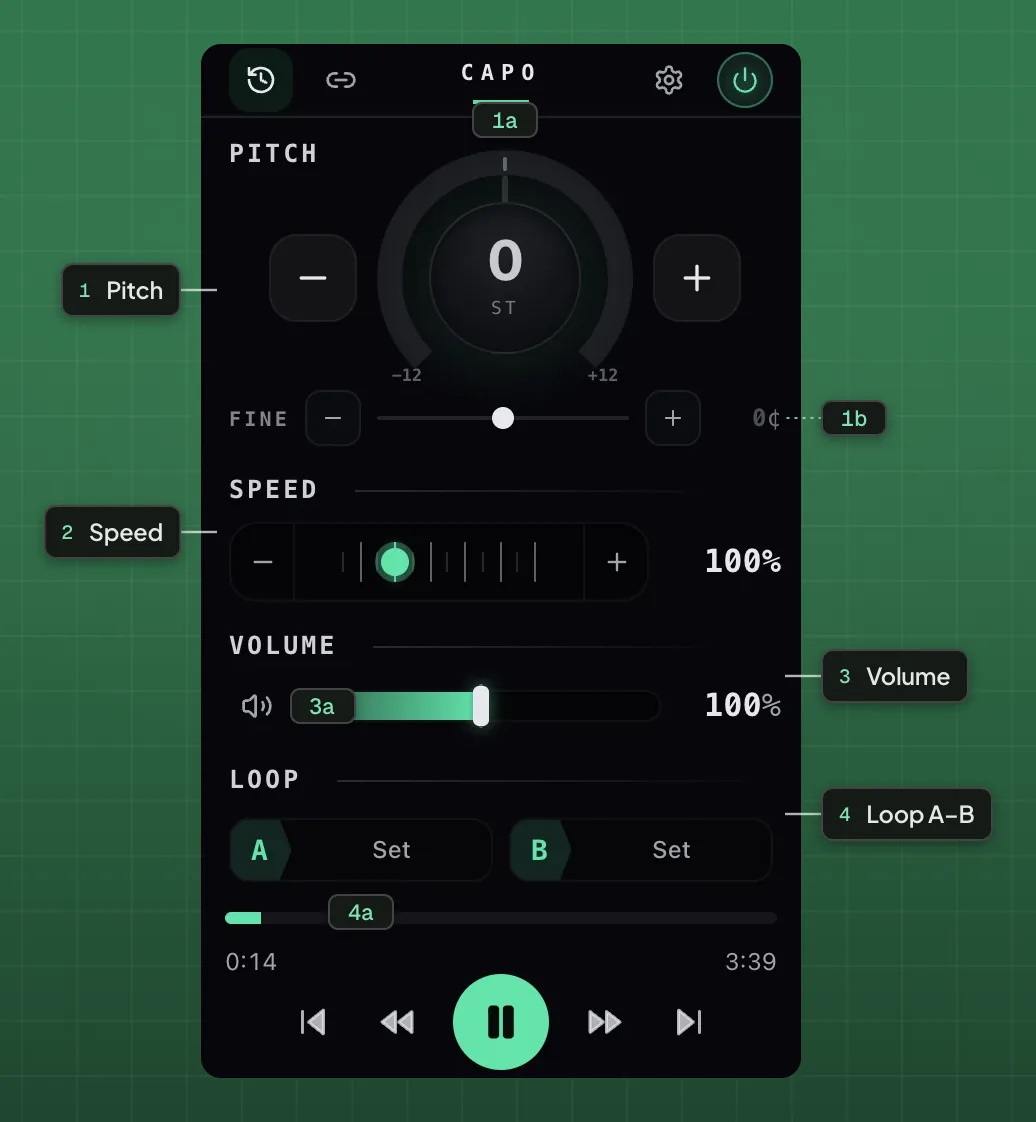
- 1Pitch
- 1aSemitone dial1bFine tune
- 2Speed
- 3Volume
- 3aMute
- 4Loop A–B
- 4aA / B points
Ten services with per-track detection
On queue-based music services the address bar does not change when the track does, so remembering your settings per URL would remember them for the whole playlist. These services get a resolver that reads the actual playing track, so a transposition you set on one song stays with that song.
| Service | Host |
|---|---|
| Apple Music | music.apple.com |
| Spotify | open.spotify.com |
| Tidal | tidal.com, listen.tidal.com |
| Amazon Music | music.amazon.* storefronts |
| Deezer | deezer.com |
| SoundCloud | soundcloud.com |
| Bandcamp | bandcamp.com and artist subdomains |
| Audiomack | audiomack.com |
| Audius | audius.co |
| TikTok | tiktok.com |
The handful it cannot reach
Browsers refuse to run extensions on their own internal pages, and that is not something any extension can opt out of. Neither Capo nor anything else runs on:
| Not available on | Why |
|---|---|
| Browser settings and new-tab pages | Extensions are blocked on internal schemes |
| Extension store pages | Hard-blocked by browser policy |
| Local files opened directly | Extensions cannot run on file:// pages |
| Desktop apps for Spotify, Apple Music | Native software, not a browser tab |
Local files are not a dead end, though: Settings has a Play local file option that opens Capo’s own player for audio on your machine, with every control working as usual.
One control set, everywhere you listen.
Free · no account · nothing uploadedIf a page does nothing
The usual cause is that nothing is playing yet — the controls stay inert until there is sound to work on. Start playback first, then open Capo. The second most common cause is a desktop application rather than a browser tab.
Questions
Which sites does Capo work on?
Does it work on Spotify, Apple Music and Tidal?
Why does nothing happen on this page?
Does it work on browser settings or new-tab pages?
Does it work on desktop apps?
Keep reading
How to change the pitch or key of a song on Apple Music
The web player has no key control, and its audio is encrypted. Capo shifts it anyway, without downloading anything.
Why most audio extensions do nothing on Spotify or Tidal
Protected streams refuse to hand their samples to page scripts. Here is why, and what has to be done differently.

How to change pitch, speed and volume in your browser
A tour of every free control in Capo: the pitch dial, fine tuning, speed, volume and the A-B loop, with what each one is for.